KisoStats
A lightweight system monitor that lives in your menu bar. Track CPU, RAM, SSD usage, and network speed at a glance — plus built-in disk cleanup to free up space. No data collection, no accounts, no subscriptions.
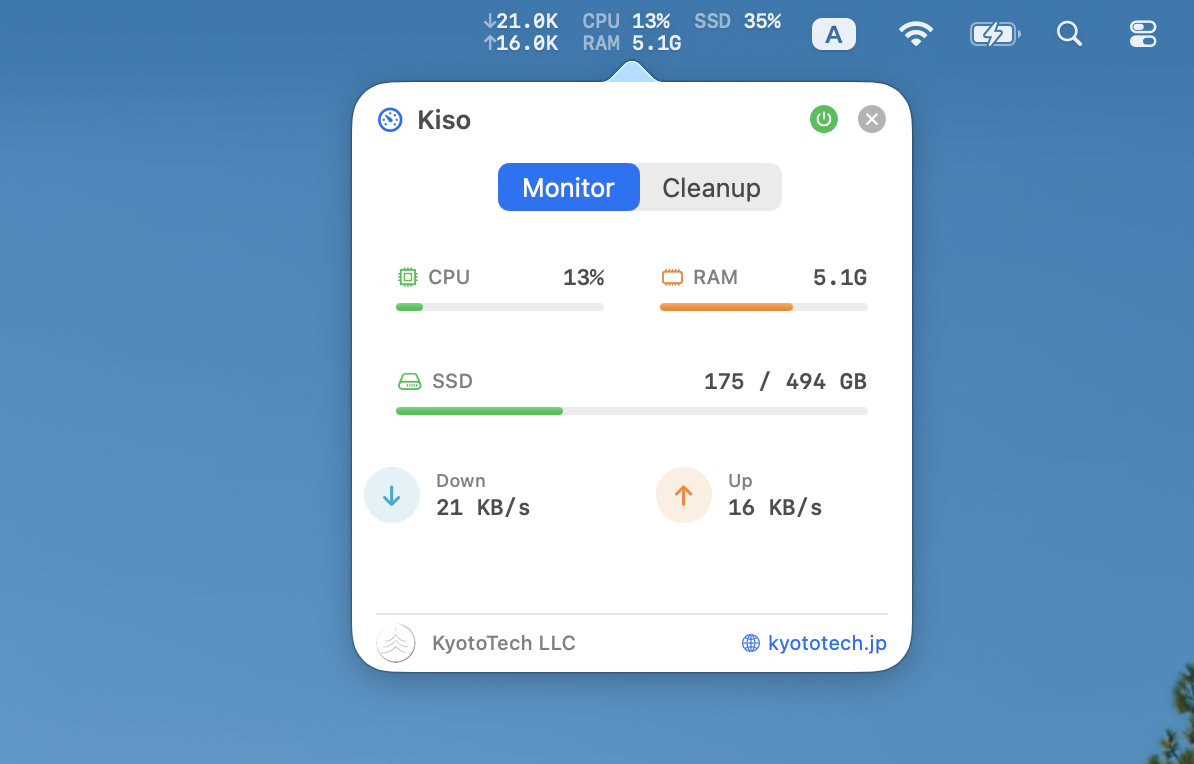
Everything at a Glance
Real-time system metrics and disk cleanup in a compact menu bar interface. No windows, no clutter.
System Monitoring
CPU, RAM, and SSD usage displayed in real-time with color-coded indicators. Updated every 2 seconds, always visible in your menu bar.
Network Speed
Live download and upload speeds right in your menu bar. See your network activity without opening any app or window.
Disk Cleanup
Free up disk space with one click. Remove user cache, log files, old downloads, Trash, and Xcode build artifacts.
100% Private
No data collection, no analytics, no network requests. Everything runs locally on your Mac. Your data never leaves your machine.
See It in Action
A compact popover interface with two tabs: Monitor and Cleanup.
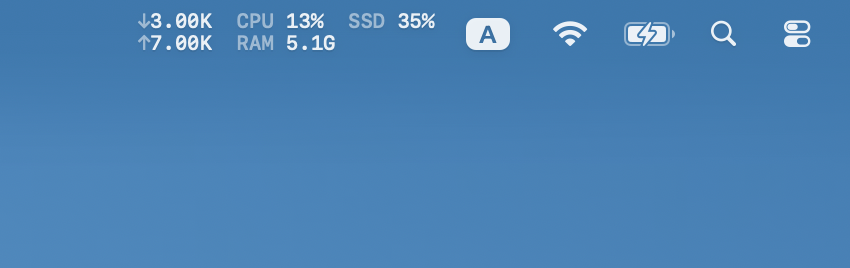
Menu bar with real-time system metrics
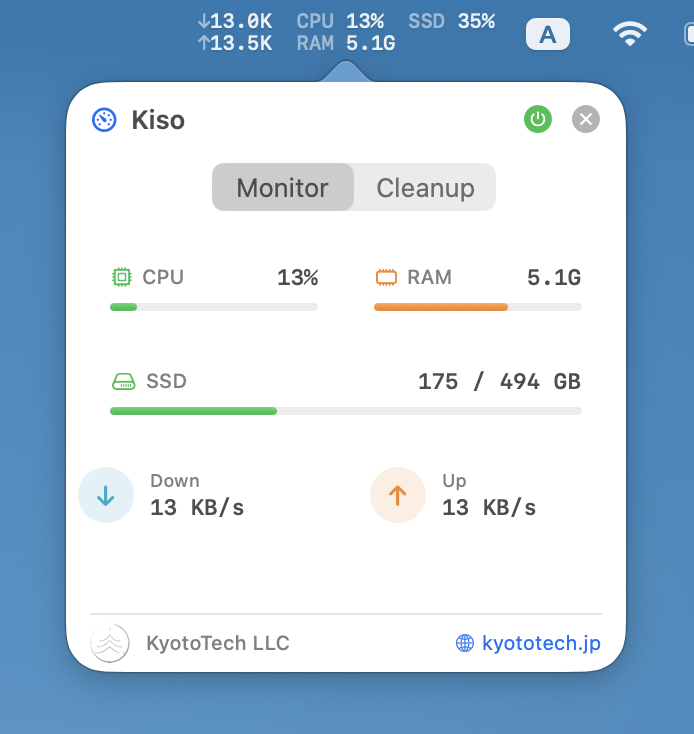
Monitor tab with CPU, RAM, SSD, and network
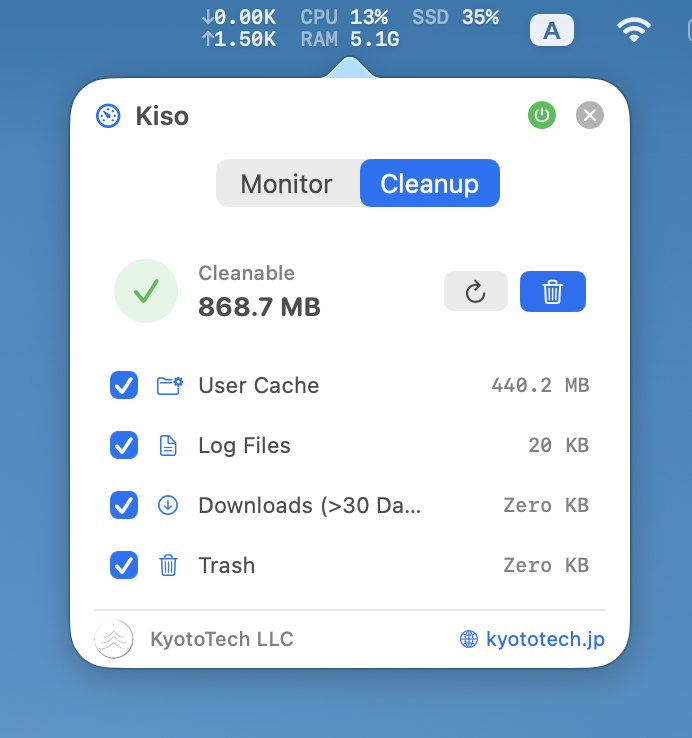
Cleanup tab with category overview
System Requirements
KisoStats is a native macOS app with minimal resource usage.
Operating System
macOS 14.0 (Sonoma) or later
Processor
Apple Silicon (M1 / M2 / M3 / M4)
Disk Space
Less than 5 MB
Internet
Not required
Version History
| Version | Date | Changes |
|---|---|---|
| 1.1 Latest | 2026-01-28 | Multi-language support (English, German, Japanese), improved status bar rendering, stability improvements |
| 1.0 | 2025-01-27 | Initial release with system monitoring (CPU, RAM, SSD, Network), disk cleanup, and auto-start |
Ready to Monitor Your Mac?
Download KisoStats for free. No account required, no ads, no data collection.
By downloading, you agree to our Terms of Service and Privacy Policy.